A LUT browser for Mac

Find the look
you already own.

See what your LUTs do without loading them one by one in an editor. LUT Gallery finds your installed collection and previews thousands on your own photo or film frame in seconds. Pick one you like and apply it.
Request beta access Read the docs macOS 13+ · Apple silicon & Intel
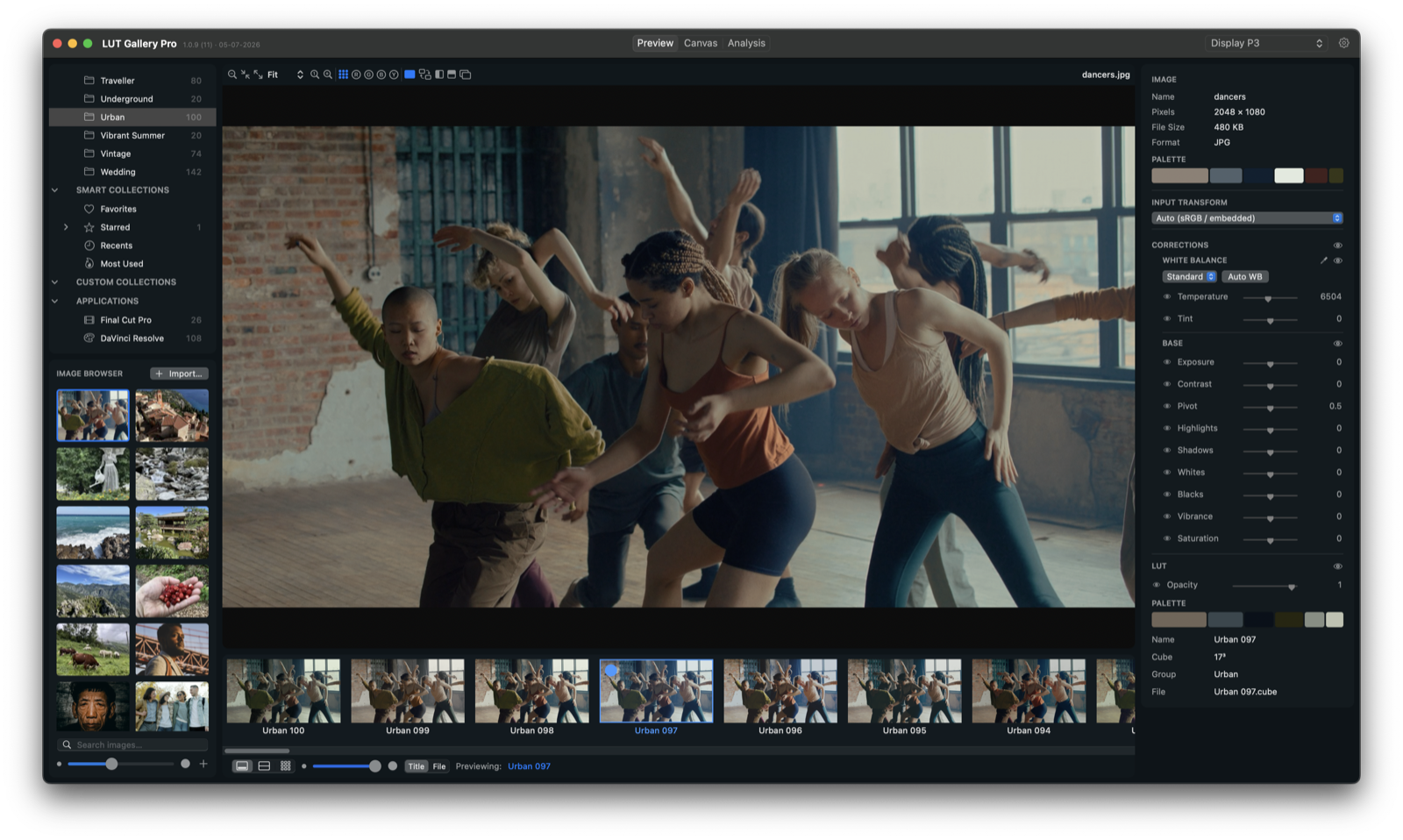
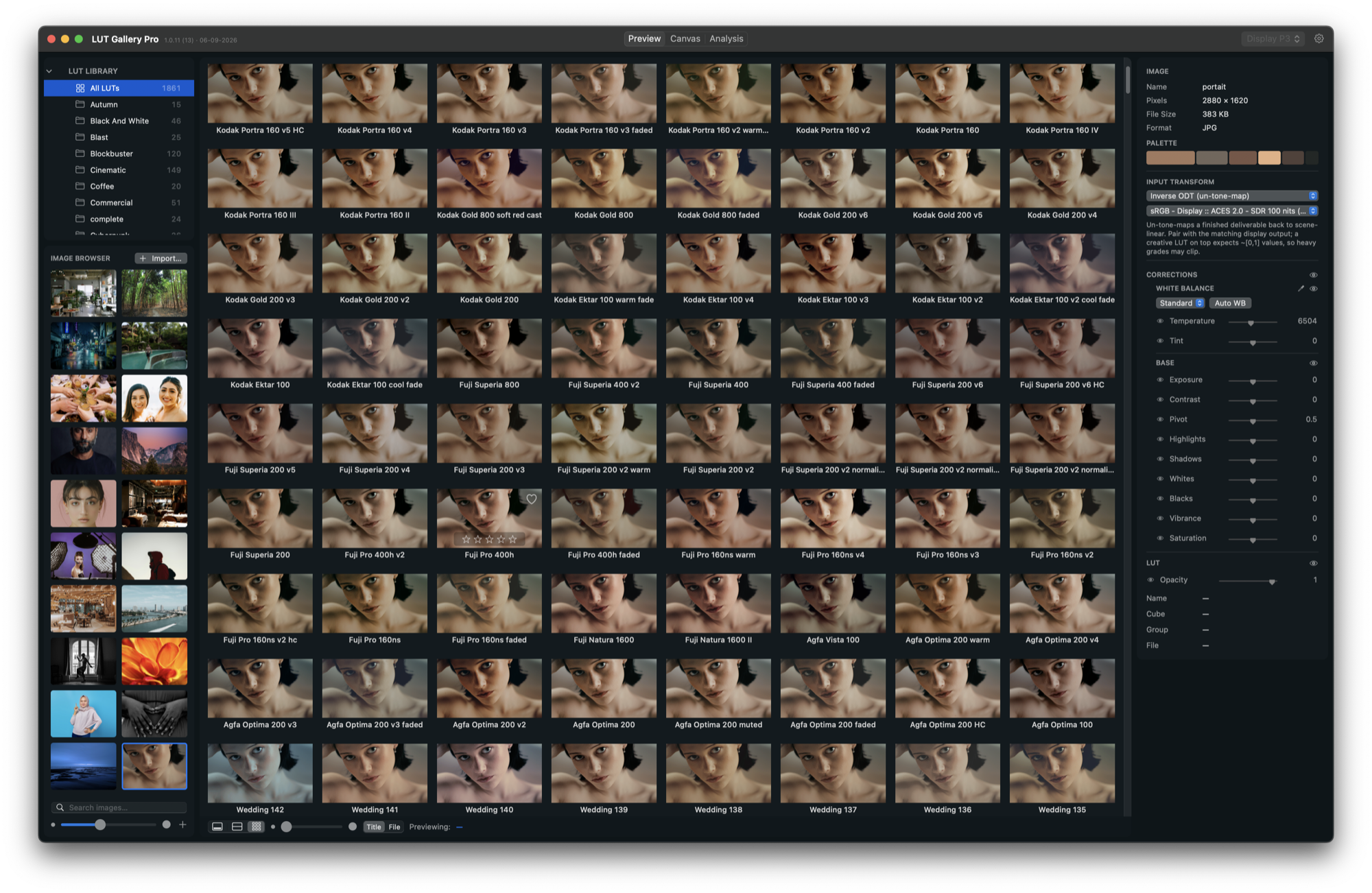
LUT Gallery in Preview mode: LUT library on the left, hero image in the centre, grade inspector on the right, LUT film strip along the bottom.
02 — Adjust · Standard

A few finishing
touches.

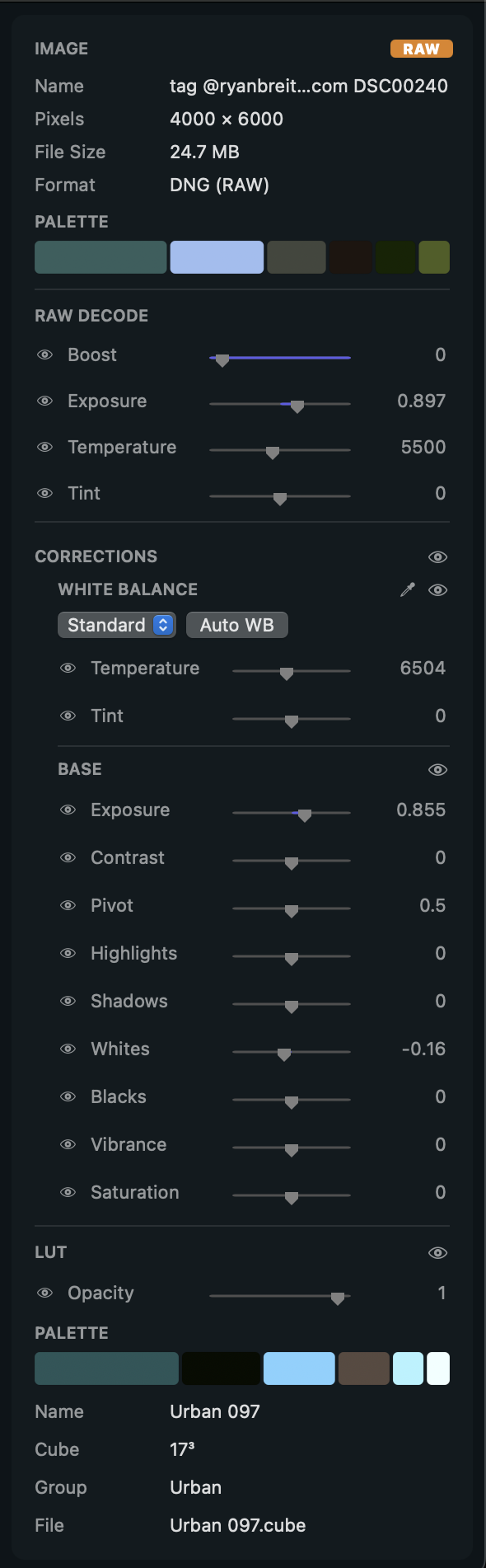
Reduce the LUT’s strength or adjust white balance, exposure, contrast and saturation. Compare before and after as you go.

  • See exactly what changed

    Compare with A/B, wipe or butterfly views. Check individual colour channels and the before-and-after palette.

  • Use it in Final Cut Pro

    Copy the chosen LUT to Final Cut Pro: LUT Gallery installs the .cube and pastes a Custom LUT effect.

The inspector: input transform, RAW decode, white balance, base correction and LUT sections.
The inspector · Standard — scroll to explore
03 — Canvas · Pro

Will it work across
the whole project?

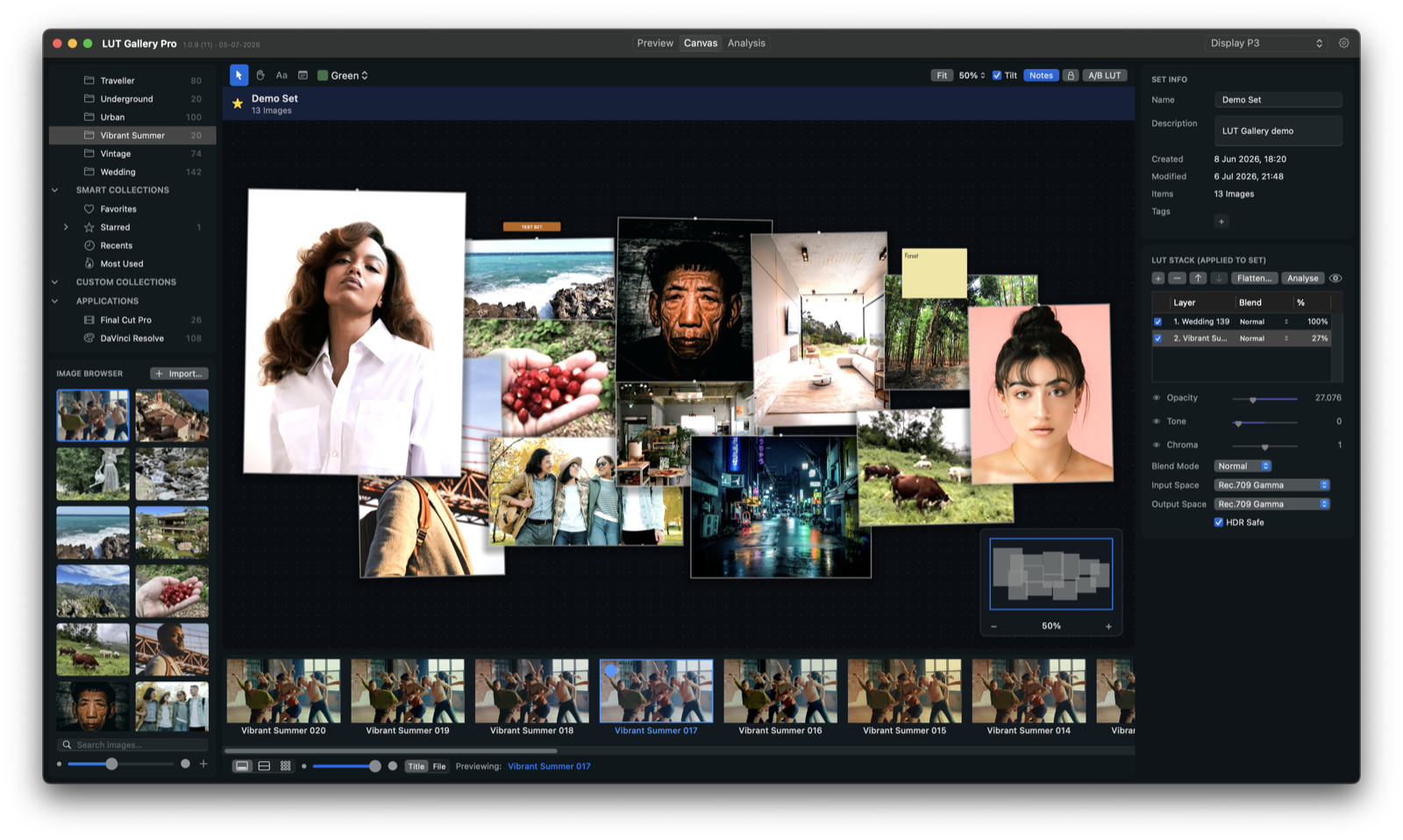
A LUT that suits one shot can disappoint on another. Add reference images or frames from your film to Canvas, then try it across the set. Check faces, interiors and night scenes together before settling on it.

Canvas mode: a board of thirteen pinned reference images, all graded together by a two-layer LUT stack.
Canvas · Pro
04 — Analysis · Pro

Know what’s
inside the look.

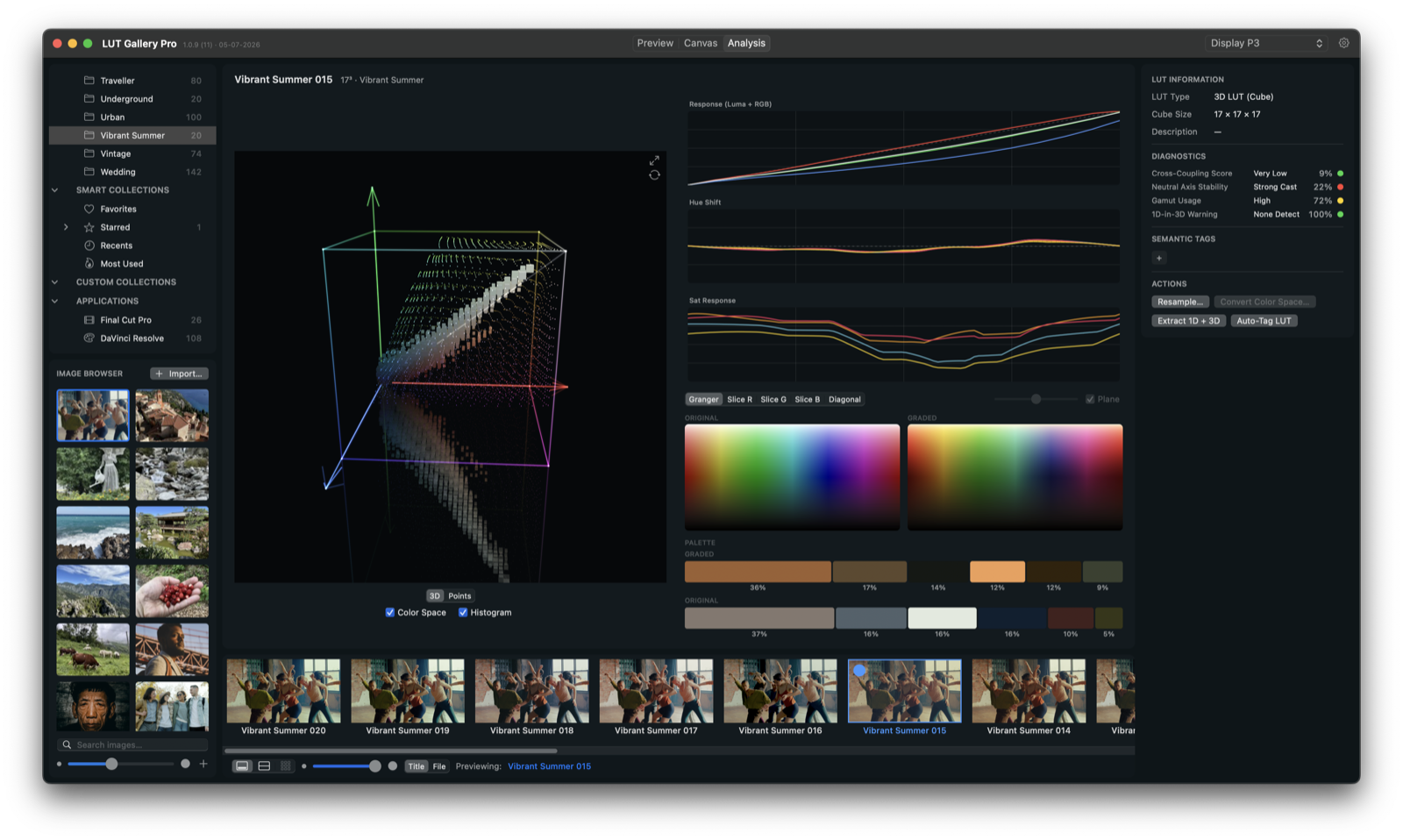
Inspect the 3D cube and response curves to see where a LUT changes contrast, shifts hues or pushes saturation.

Cross-coupling · very low Neutral axis · strong cast Gamut usage · high 1D-in-3D · none detected Auto-tag: skin-friendly Auto-tag: night risk
Analysis mode: the 3D LUT cube with displacement needles on the left, response, hue-shift and saturation curves plus Granger charts and diagnostics scores on the right.
Analysis · Pro
05 — Standard & Pro

Which edition
suits you?

01

Standard

Automatic LUT discovery, the filmstrip and gallery, adjustment controls, intensity, comparisons, collections and search. Copy your chosen LUT to Final Cut Pro.

02

Pro

Everything in Standard, plus Canvas, LUT stacking and blending, flattening to .cube and LUT analysis. ACES/OCIO colour management, custom configurations and camera-native LUT creation.

03

Included with both

GPU-rendered previews, RAW and EXR support (including DWA), standard image formats and Display P3 output. macOS 13+, Apple silicon and Intel. One year of updates included.

Try it with your own collection.

LUT Gallery is a macOS app, macOS 13 or later, Apple silicon and Intel. Testers get early access, a free licence at launch and direct contact with the developer.

Read the documentation while you wait